 Jakub Jirka
Effective research data management needs an overview of what is happening across your institution. As research security, responsible AI use, and data governance raise questions for research organizations, the people responsible need a practical way to understand which projects require their attention. Which teams expect to handle sensitive information? Where might legal guidance be needed? Which projects report that ethical review is required?
Your Data Management Plans (DMPs) may already contain some of these answers. Yet turning them into an institutional overview can still mean opening plans individually, compiling separate spreadsheets, or asking researchers for information they have already provided. As the number of projects grows, this becomes increasingly difficult to maintain.
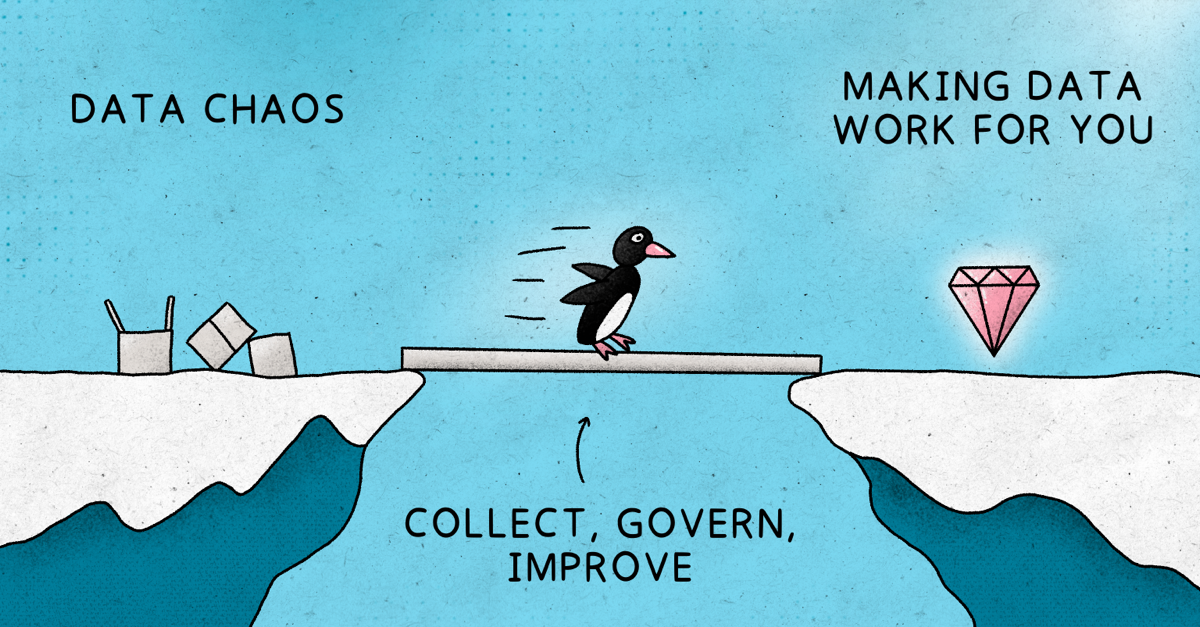
In Govern Your Institutional Data Management Plans, I introduced a three-part approach: Collect, Govern, and Improve. The principle was to collect information for a clear purpose and use it to support institutional processes. The new question-answer filters in FAIR Wizard Analytics provide a practical way to strengthen that connection. You can use questionnaire answers to identify relevant projects and build focused overviews around the responsibilities of the people supporting them.
The Collect stage begins with a simple question: who will use this information, and what will they do with it?
If your institution needs to coordinate support for projects working with sensitive data, that need should inform your questionnaire. Ask a clear question that helps identify those projects. If a colleague needs an overview of projects requiring ethical review, establish which information would help them plan their follow-up.
Start with a small set of useful questions and an agreed purpose for each. This also gives researchers a clearer reason to provide the information: their answers help the institution organize relevant support.
Once those answers are collected, the Govern stage needs a convenient way to find and use them.
The Analytics update lets you add a Question answer field to a project view. Select a question from your Knowledge Model by its title or UUID, and the resulting column displays each project's reply. You can then filter by an answer or reply status and save the view for later use.
For example, select the question asking whether a project expects to handle sensitive data and filter for the relevant response. You now have a focused list of projects to investigate, using information already recorded during planning.
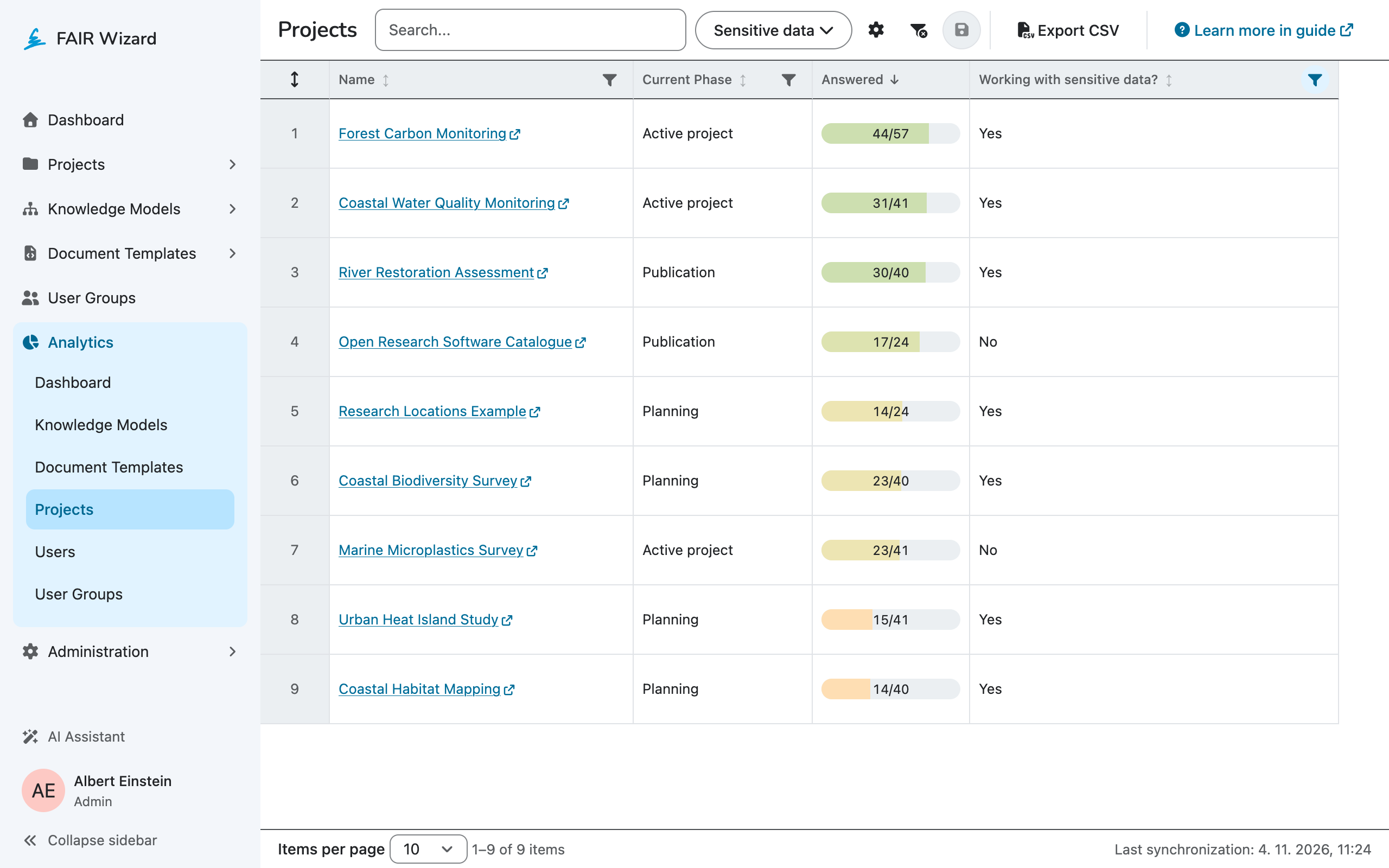
Alongside the answer, include the project information that helps you interpret the result, such as its phase or Knowledge Model. The Analytics guide explains how to configure and save these views.
The useful starting point is the institutional question you want to answer. The view then becomes a practical tool for answering it repeatedly.
Different governance responsibilities call for different perspectives. The following examples show how focused views can help when your questionnaire collects the relevant information.
A data steward may need to identify projects that expect to collect or process sensitive data. A view based on that answer provides a starting point for reviewing their plans and understanding the support they need.
The steward can open an individual project to examine the proposed arrangements and discuss any questions with the team. This helps focus guidance on a relevant group of projects before reviewing their different needs in detail.
Your questionnaire might ask whether a project expects to process personal data. A filtered view can help the appropriate institutional contact identify teams that may need further discussion about their plans.
The answer provides a starting point for that discussion. The details of the project still determine which requirements apply and what further assessment is necessary.
If your questionnaire asks whether ethical review is required, use that response to create an overview of the relevant projects. A colleague coordinating the process can identify which projects to follow up with and review their reported arrangements.
Where your questionnaire also records review status, that information can support a more specific view, using the available answer filters. Keep a clear distinction between what a project reports and what has been formally reviewed or approved.
A research data manager, a data steward, and a colleague coordinating ethical reviews do not all need the same overview. Build views around their questions and responsibilities, with the fields that help them decide what to do next.
Colleagues with the appropriate Analytics access can return to a saved view with the relevant projects in one place. This reduces the need to search through individual plans simply to find which projects to examine. Detailed review and professional judgment remain part of the follow-up.
This is one way to make data stewardship more useful across the institution. The guidance and structured questions prepared by stewards produce information that colleagues can use in their own work. Researchers' planning effort can support coordination beyond the individual project.
The final stage, Improve, follows naturally. Use the views in routine work and ask the people using them whether the information helps them act. Are answers clear enough? Do they reflect the project's current plans? Does someone know who should follow up?
If a question produces ambiguous answers, refine it or improve its guidance. If the information changes during the project, agree when researchers should review it. If a view has no clear use, reconsider what it contains before adding more questions to the questionnaire.
Start with one governance question and one colleague who needs the answer. Build a focused view, use it to support a real process, and improve it together. That puts Collect, Govern, and Improve into practice, connecting the information in your DMPs with the people responsible for acting on it.

